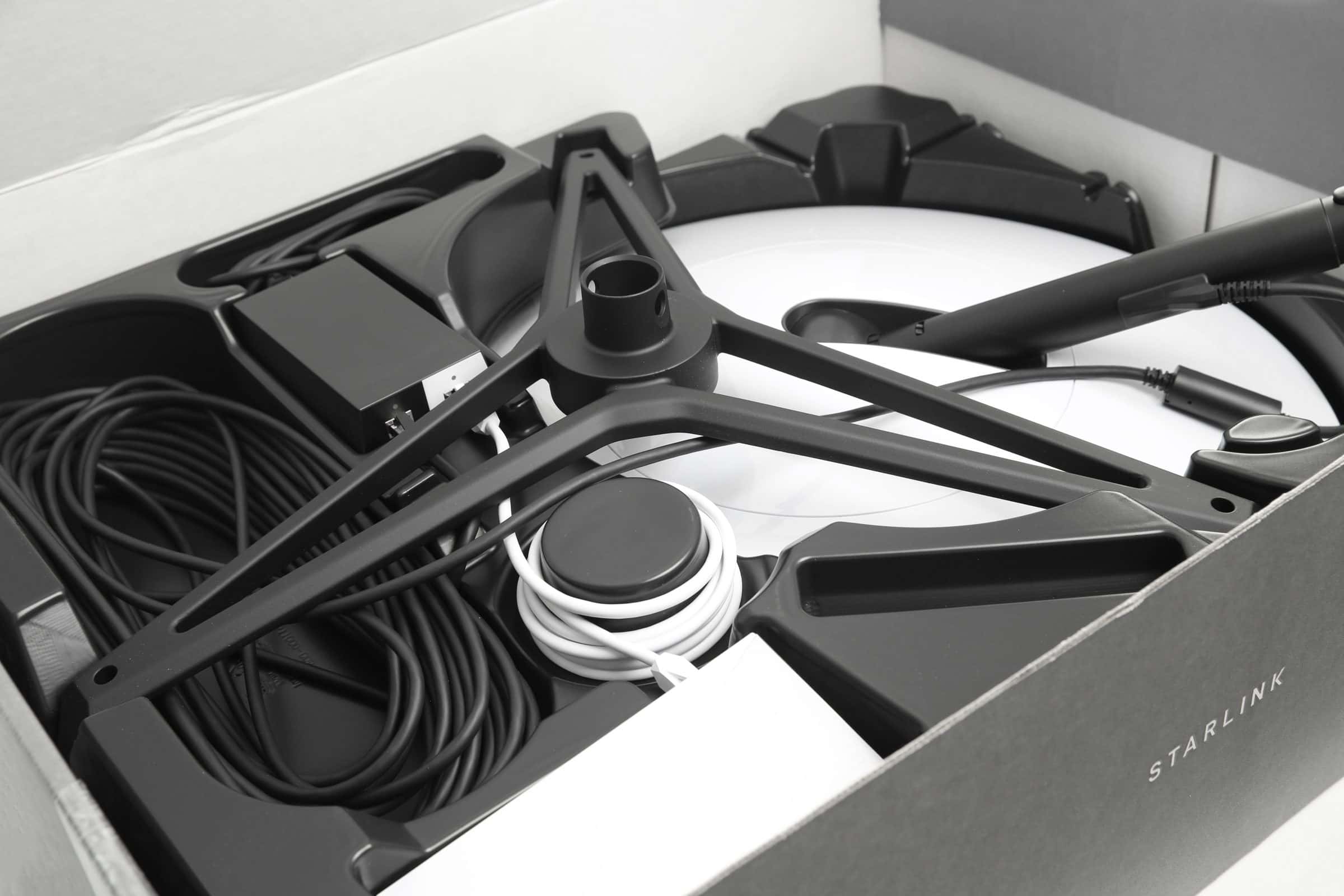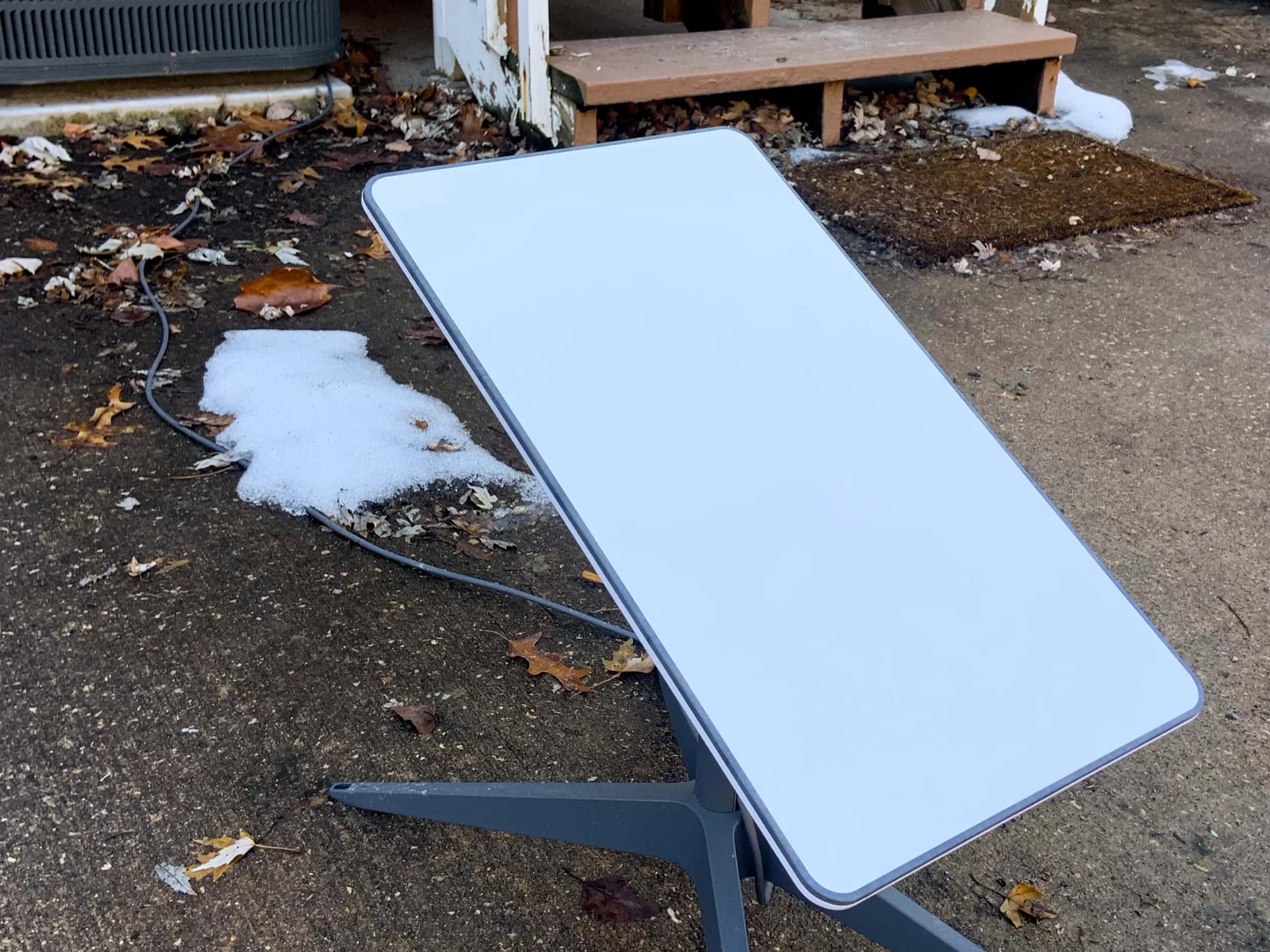

Starlink reaches almost any US home that can see open sky. On Starlink's national order list (November 4, 2026, no address entered) Residential was 100 Mbps $49.50, 200 Mbps $76.50 and Max $143 a month, plus equipment ($349 to buy, or a $0 rental kit where offered). Prices vary by address, and starlink.com shows the one for yours. It suits a year-round home with no wired option and no fiber funded nearby; where co-op fiber, a strong tower signal or decent DSL exists, start there.
How Starlink works at a rural home
Instead of a cable or a tower, a dish on your property talks to satellites in low orbit. That's why it reaches farms, ranches and back roads that wired providers skip, and why the lag is low enough for video calls, unlike older satellite internet.
- 1
The dish at your home talks to the satellites passing overhead. It wants as much open sky as possible; the Starlink app's obstruction check finds a good spot.
- 2
Satellites in low orbit fly far closer to Earth than older internet satellites, so the delay is low enough for video calls.
- 3
A ground station receives the signal from the satellites and hands it to the wired internet.
- 4
The internet, and back The trip reverses for every reply. Indoors, the Starlink router makes your Wi-Fi.
Will it work well at your home?
Open sky
A broad stretch of unobstructed sky overhead. Trees, a hill or a barn cutting into it cause dropouts.
A mounting spot
The ground or a table works to start; a roof, chimney or pole mount gets above trees.
Power and a cable path
The dish runs to a router indoors; plan where the cable will enter the house.
Year-round use
It's a monthly subscription meant to stay on, not a seasonal or trial service.
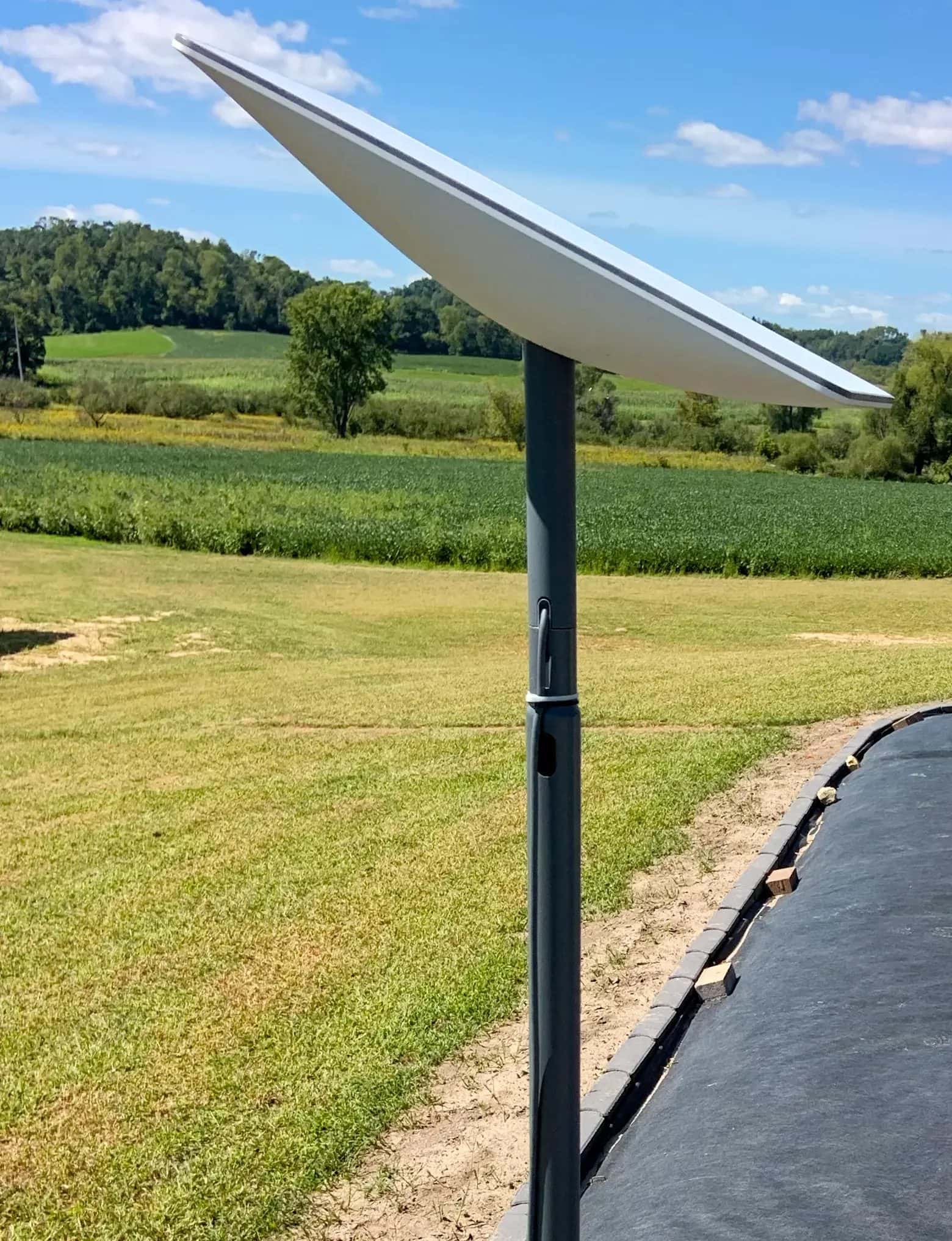

The Starlink app has a free obstruction check you can run before ordering. How low-orbit satellite compares with HughesNet and Viasat.
When fixed wireless, DSL or co-op fiber is the better pick
Co-op or small-telco fiber
If an electric or telephone co-op already runs fiber on your road, or has a funded build due within about a year, it beats satellite on speed, upload and lag. Each state guide lists the local builders.
Fixed wireless or 5G home internet
With a strong signal indoors or a clear line to a local tower, it often costs less than satellite and has lower delay. Busy evening towers and thick trees are its weak spots.
DSL you already have
For email, browsing and standard-definition video, a stable, cheap DSL line can be enough. Several people streaming or working from home usually outgrow it.
What does Starlink cost at a rural address?
On November 4, 2026, Starlink's national order list (the price data starlink.com loads before any address is entered) showed Residential 100 Mbps $49.50, 200 Mbps $76.50 and Max $143 a month, with a $349 kit to buy or a $0 rental where offered. Starlink prices Residential by region, so a farm or ranch address can show a different level; starlink.com gives the real figure once the address is typed in.
Residential 100 Mbps
$49.50 a month on the national list
Only offered in some areas. Levels seen in Starlink's own price data since October 29, 2026: $44–$55; Starlink doesn't say which level a given home will see.
Residential 200 Mbps
$76.50 a month on the national list
Only offered in some areas. Levels seen in Starlink's own price data since October 29, 2026: $68–$85; Starlink doesn't say which level a given home will see.
Residential Max
$143 a month on the national list
Fastest tier; in busy areas it may be the only one shown. Levels seen in Starlink's own price data since October 29, 2026: $104–$156; Starlink doesn't say which level a given home will see.
| Item | Price | Notes |
|---|---|---|
| Standard kit (buy) | $349 | One-time |
| Rental kit | $0 / $99 / $199 | One-time at checkout where offered; the higher two add professional installation |
| Shipping | $20 | Standard shipping seen at checkout on Nov 3, 2026 |
Starlink sets Residential prices region by region, and the 100 Mbps and 200 Mbps Residential plans are only offered in some areas; elsewhere you may see only Residential Max. Taxes and any mounts are extra. Month one of service is charged on its own, not bundled into the kit price.
One test address only: for a public building in Jordan, Montana (the Garfield County Courthouse), starlink.com offered Residential 100 Mbps at $55, 200 Mbps at $85 and Max at $130 a month, with a rental kit at $0 up front and $20 standard shipping due at checkout. Professional installation was a $99 option on the 100 Mbps plan and listed as free with 200 Mbps and Max. Starlink's national order list the same week showed 100 Mbps $49.50, 200 Mbps $76.50 and Max $143 a month. Your address may show different prices, plans or install offers.
Is Starlink worth it for a rural home?
Worth it when
- No fiber or cable reaches your address and none is funded nearby
- Your phone signal is too weak for 5G or fixed wireless
- You need video calls, streaming or remote work; older satellite's lag gets in the way
- The dish can see open sky and someone lives there year-round
Look elsewhere when
- The FCC map lists fiber or cable at your address
- Funded fiber should reach you within about a year
- Tall trees or a hill block much of the sky and you can't mount above them
- The connection is for one season or one short job
- A funded fiber or cable build covers your address (BEAD or a co-op project) and should arrive within about a year: hold off and compare. How to check.
- Trees, a ridge or nearby buildings hide most of your sky and there's nowhere to mount the dish above them.
- The need is seasonal or short: one stay, one trip, one job. Starlink is a monthly subscription meant to stay on.
- A fixed wireless or 5G home provider already gives you a strong, stable signal at a lower price and you're happy with it.
Ordering for a rural address, step by step
Open starlink.com and enter your service address
Use the exact address where the dish will be. Plans and prices depend on it.
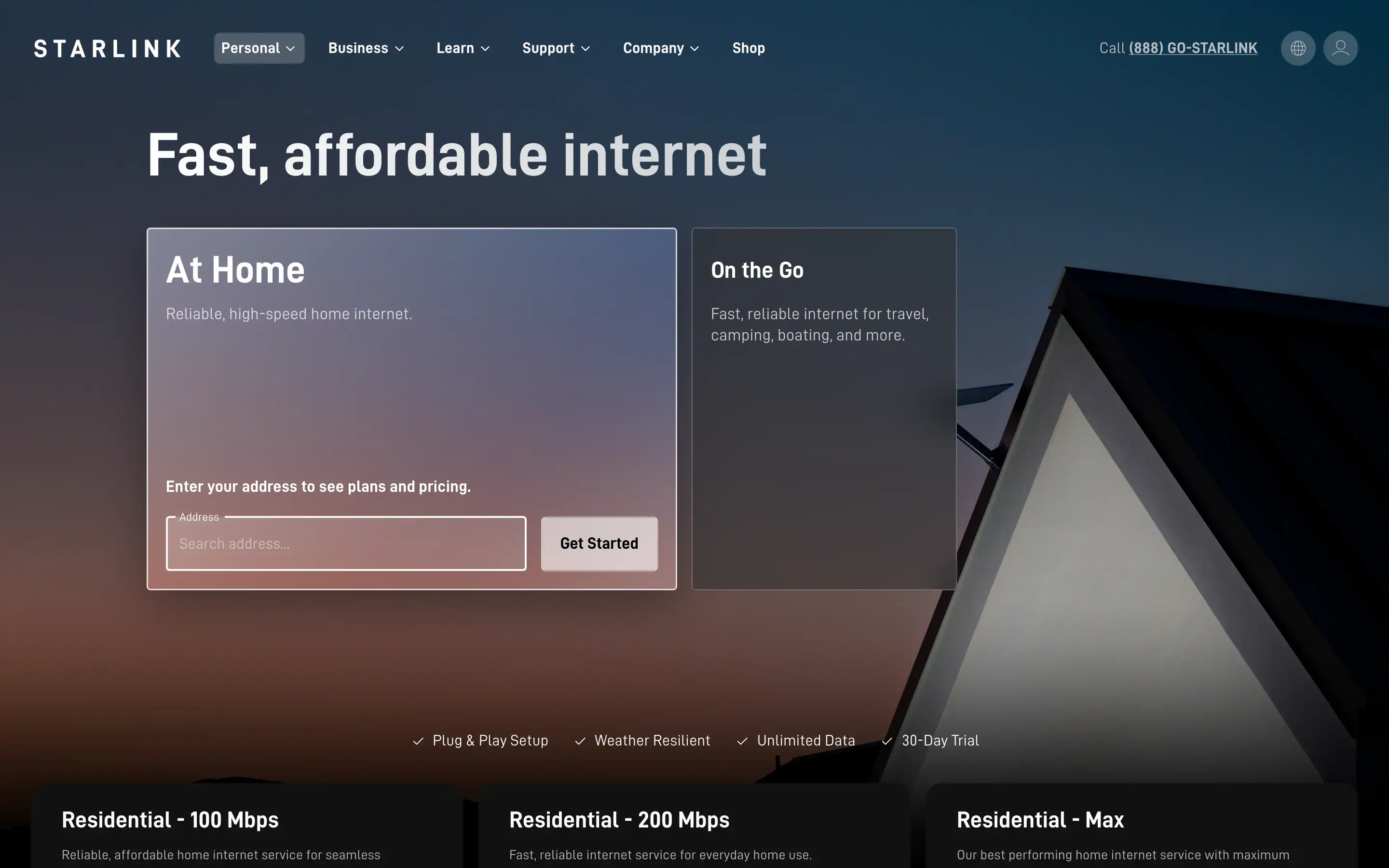
- Type your address here
- "Get Started" button
- The note under the box: plans and prices depend on the address
Go to starlink.com (US). In the "At Home" box, click the address field. Screenshot of starlink.com, November 3, 2026. Pick your address from the suggestions
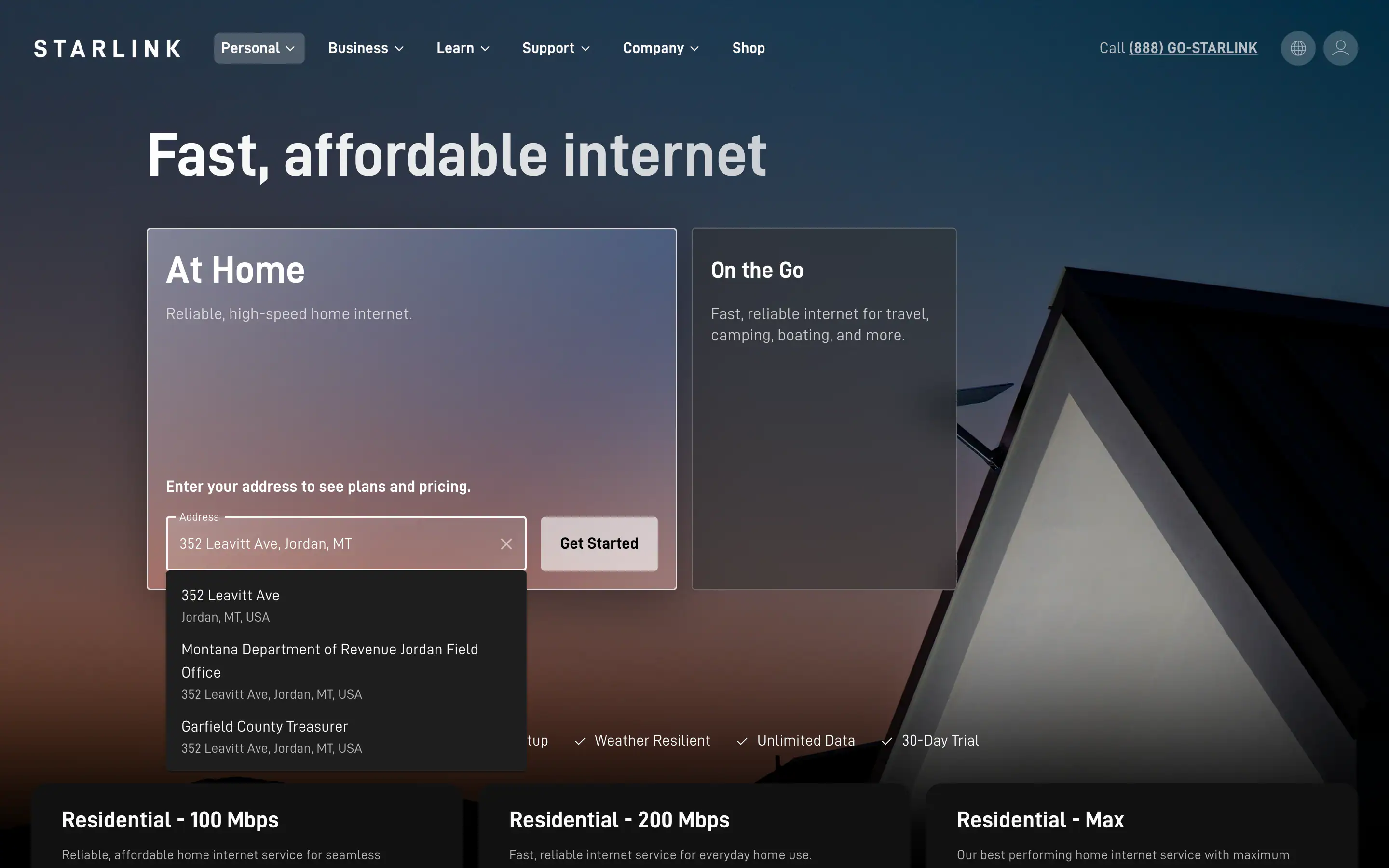
- Typed address
- Pick your address from this list
Start typing the street address, then choose the matching suggestion. Screenshot of starlink.com, November 3, 2026. Choose a Residential plan
Start with the lowest tier that fits your household; you can change plans later in your account. The screenshots show one test address (Jordan, Montana, November 3, 2026: $55, $85 or $130 a month by tier); the national order list that week showed 100 Mbps $49.50, 200 Mbps $76.50 and Max $143 a month.
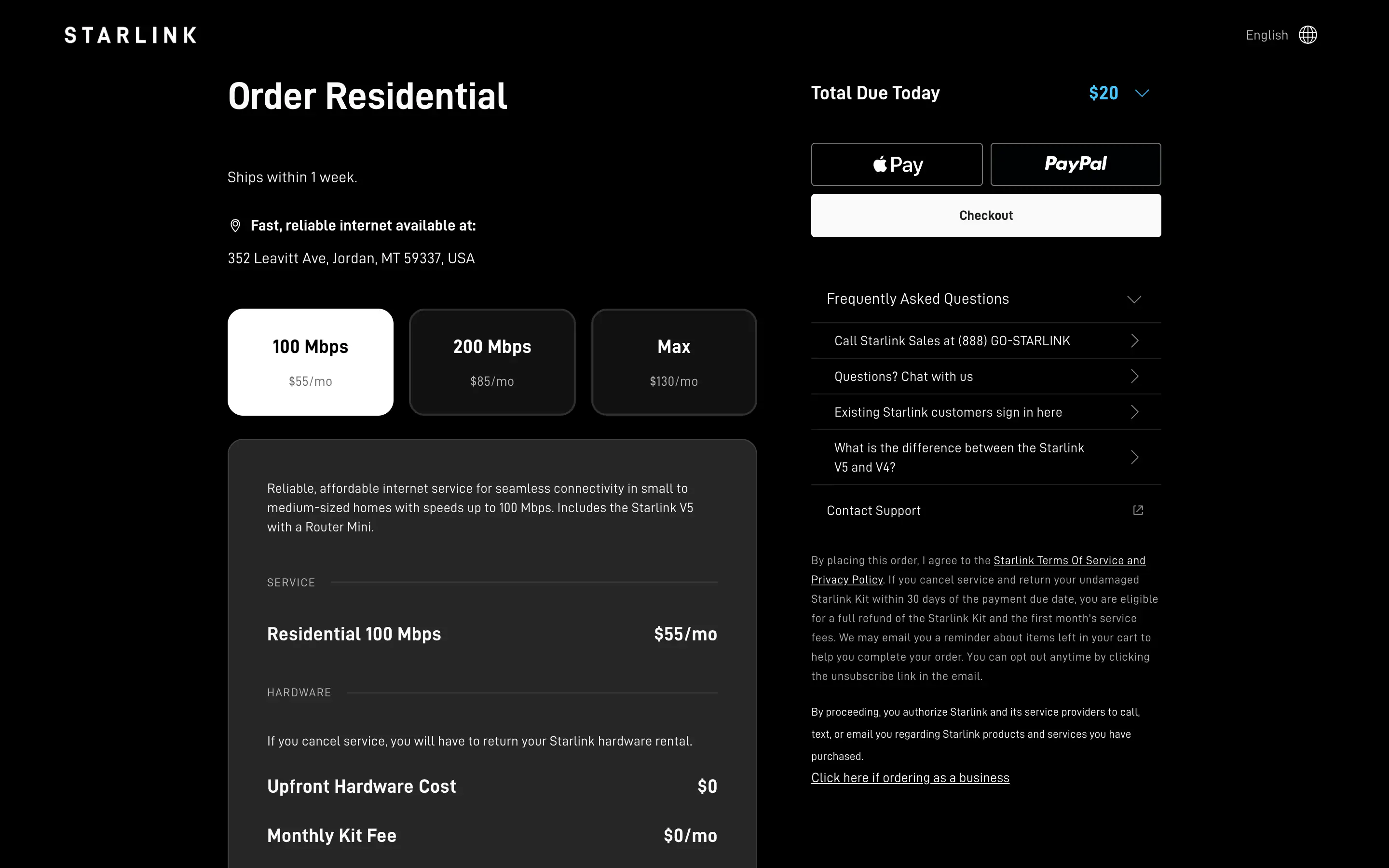
- Your address is available
- Residential plans and monthly prices
- Stop here: Checkout asks for your details
Check that your address is shown, then compare the Residential plans and their monthly prices. Stop before "Checkout". Screenshot of starlink.com, November 3, 2026. 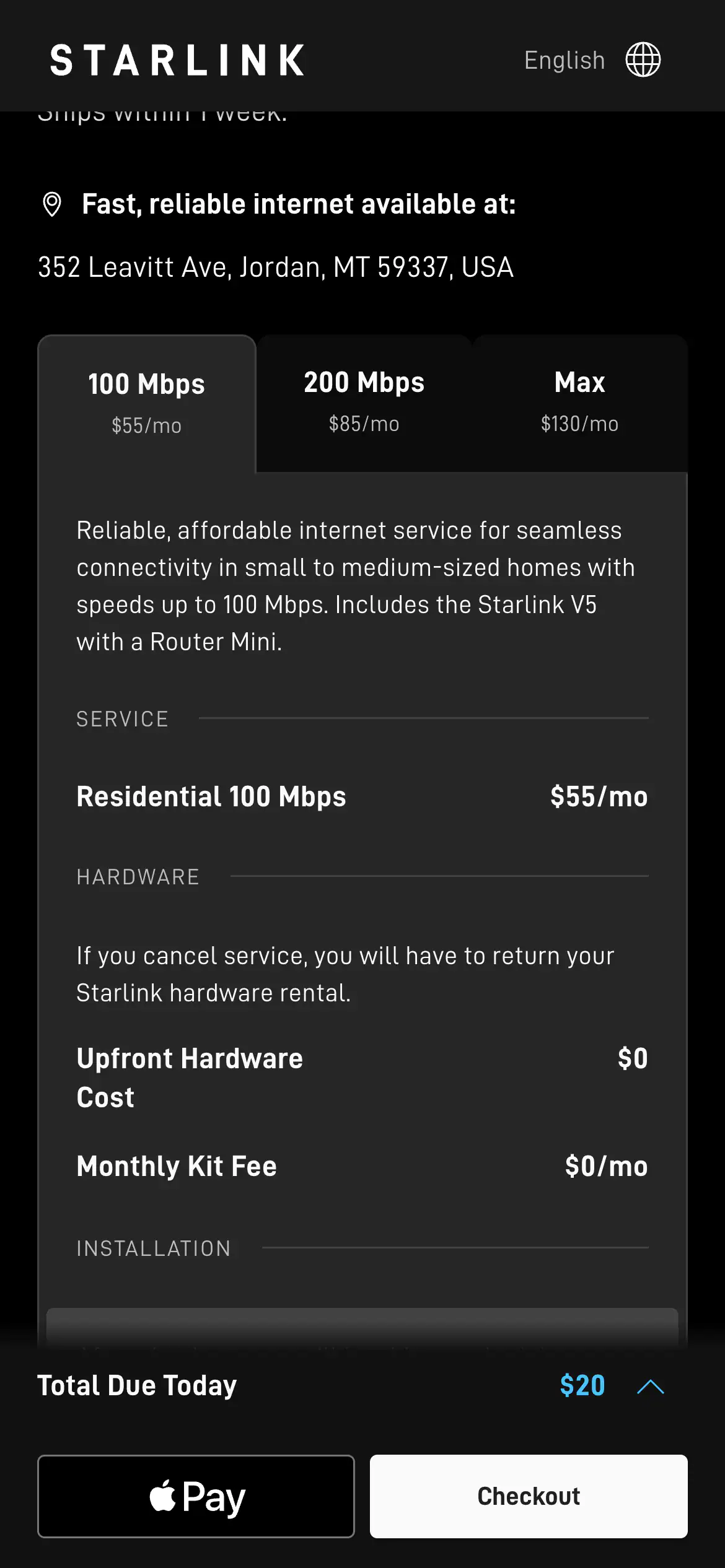
- Your address is available
- Residential plans and monthly prices
- Total due today (tap the arrow for details)
On a phone it is the same: after picking your address, scroll to the plan options and compare the monthly prices. Screenshot of starlink.com, November 3, 2026. Choose buy or rent, then check the order summary
Look at the one-time total and the monthly price before you pay.
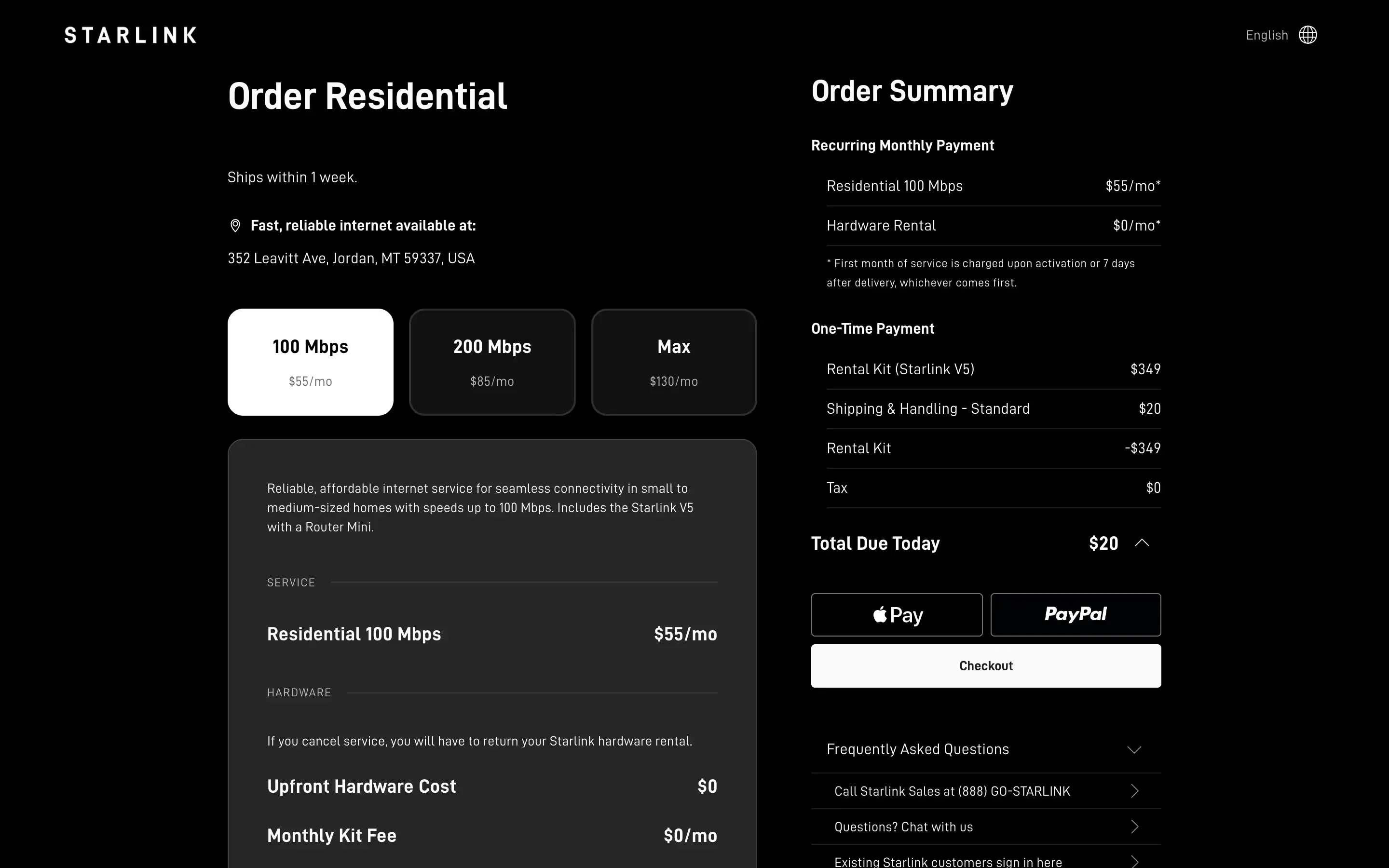
- What you pay every month
- One-time costs (kit rental credit, shipping, tax)
- Total due today
Click the arrow next to "Total Due Today" to see what you pay each month and what you pay up front. Screenshot of starlink.com, November 3, 2026. Pay and finish, in the same browser tab
Billing starts at whichever comes first: activation, the seventh day after delivery, or (with no delivery date on record) day 30 after the kit ships.
Opened starlink.com through a referral link? A green "Referral Code Applied" notice near Checkout means the link is attached; look for it before paying. How our referral link works.
When the kit arrives: set up in an afternoon
Most homes don't need an installer. Keep your old service a few days, and cancel only after Starlink has handled your busiest evening hours well.
Scan your sky in the app
Run the Starlink app's obstruction check from the exact spot you plan to use.
Place the dish
Start on the ground or a table with the clearest view of the sky.
Plug in the router
The dish cable runs to the router indoors; plug the router into power.
Join the Wi-Fi
The app tells you when it's online. Test at your busiest evening hour.
Mount it for good
After a few clean evenings, mount it high if trees block part of the sky.